

ShotLab

Design the shot. Tie it in. Fire it.

ShotLab is a blast design workbench for training shotfirers. Lay out a pattern, charge it, tie it in and fire it, then see the timing, vibration, airblast, flyrock, fragmentation and muckpile. Every check explains what went wrong and where its limit comes from.
Time
0 ms
Holes fired
0 of 108

Bluestone Quarry from the app, tied in with surface connectors. Grey ties carry the signal; each hole fires 400 ms after its signal arrives.

From a bare bench to a fired shot

The same order a shotfirer works in on the bench, with feedback at every step.

  1. Lay out

    Set burden, spacing and depth, or place holes one at a time around voids and services.

  2. Charge

    Pick the product, stemming and decks. Charge per hole and powder factor update as you go.

  3. Tie in

    Click a start hole and an end hole, or drag along a row. ShotLab checks the sequence and the connectors.

  4. Fire

    Play the shot slowly and watch the timing, vibration and rock movement build up.

  5. Review

    Get a grade, the checks that failed and why, then change one thing and fire again.

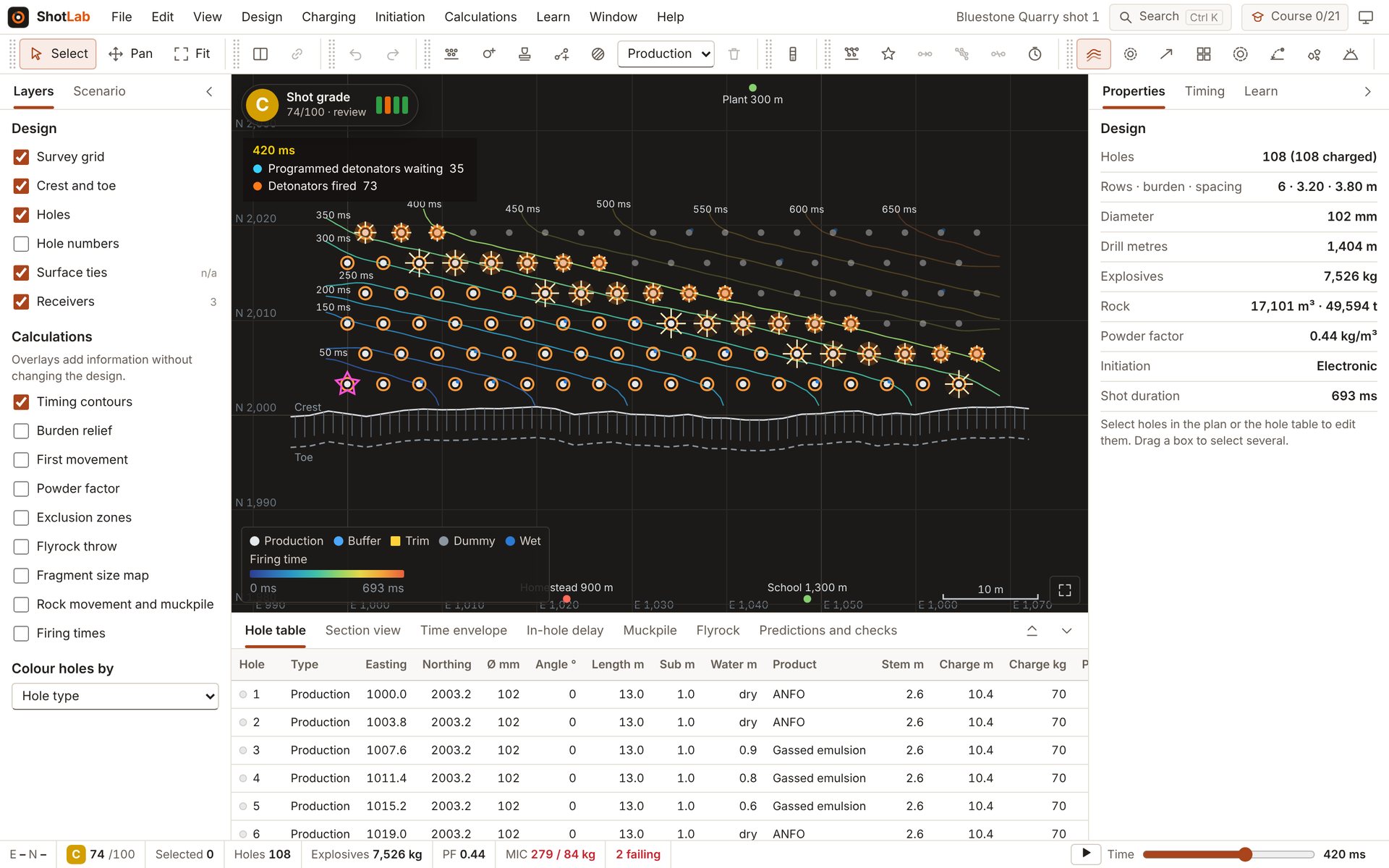
The ShotLab workbench: a 108-hole quarry shot part-way through firing, with timing contours, the hole table and the design properties.
The workbench, 420 ms into the shot.

Every check says where its limit comes from

A limit in AS 2187.2 is not the same as a rule of thumb. ShotLab labels each check by its source, and shows the working, the source and where each model stops being reliable.

Runs in your browser on a computer, tablet or phone, or as a desktop app on Windows. Designs are saved on your device.

For training only. The predictions are simplified models. Don't use them to design, approve or fire a real blast.